Your tasks, your time off and your team's requests, and Finance where your workspace has it, in an app that signs in to the same account as the web.
Coming soon to the App Store, for iPhone
What you need
An iPhone
The app is made for iPhone. There is no iPad or Android version.
An astraHR account
The app never creates one. Accounts are made on the web, when a workspace is set up or a company invites you, and you sign in with the same account.
A way to sign in
With the code astraHR emails you, with Google, or with Apple once you turn it on in your profile.
What you can do in the app
The parts of astraHR people use during the day, with the same records and the same permissions as on the web.
Home
What needs you today
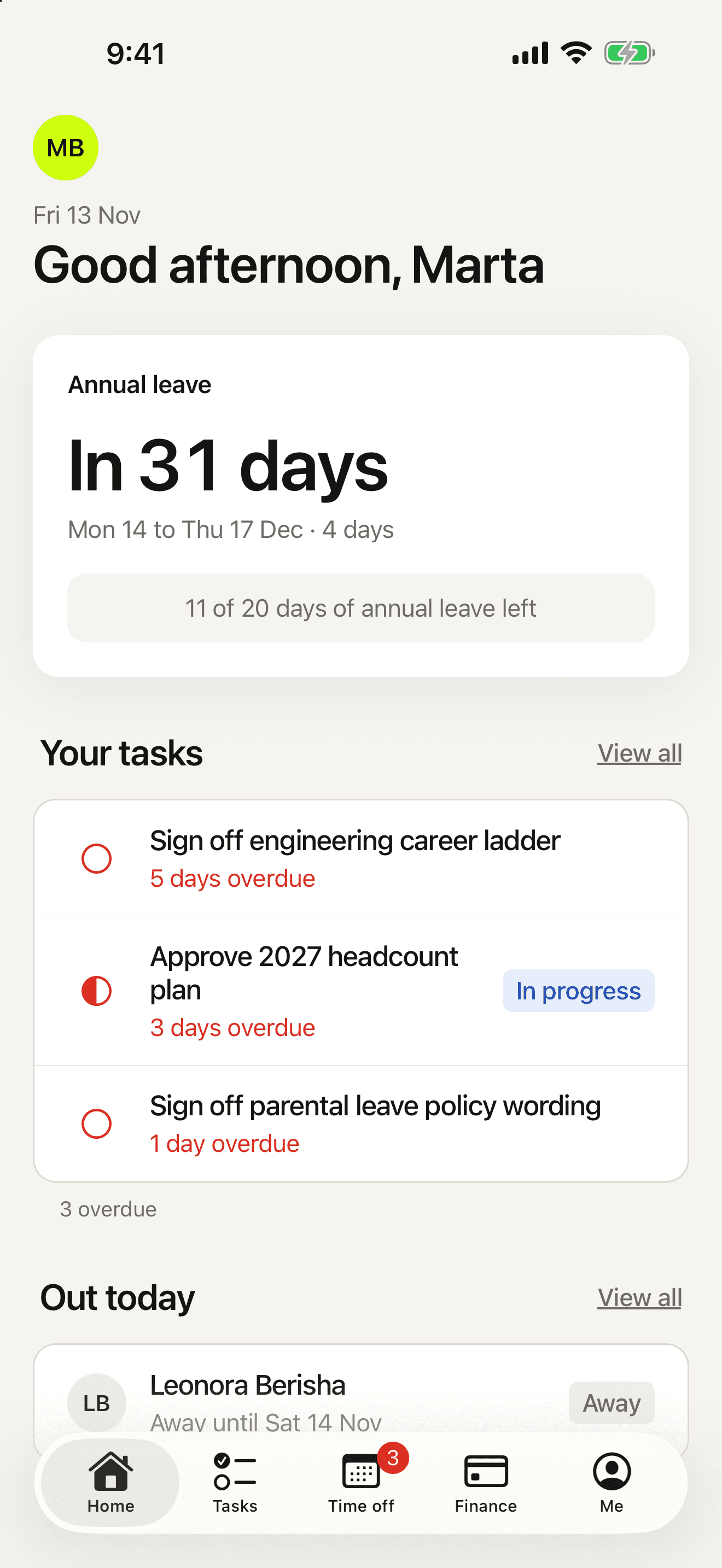
The app opens on a greeting, your open tasks and who is out today.
- Open tasks sorted into overdue, due this week and up next
- Who is out today, from the same leave records as the web
Time off
Ask for time off, or decide on it
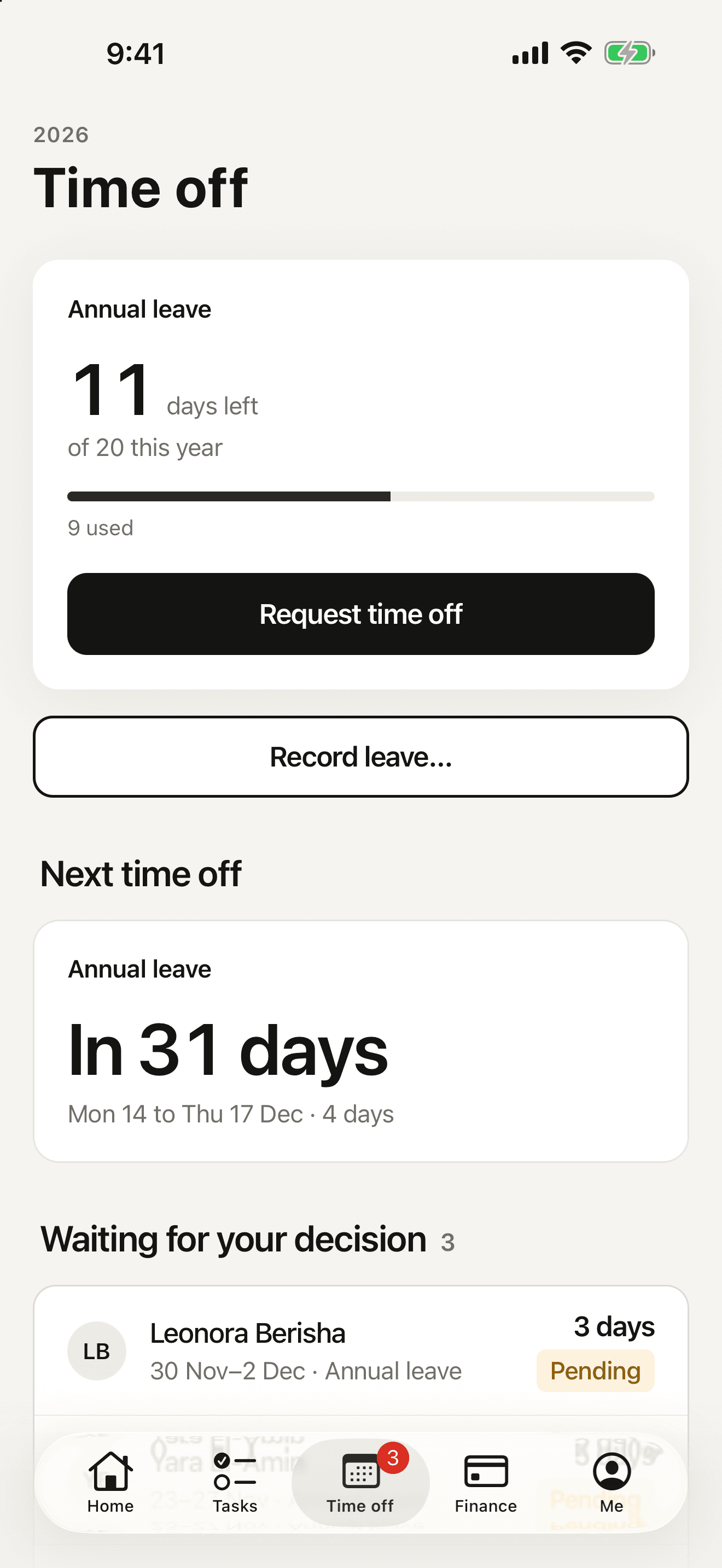
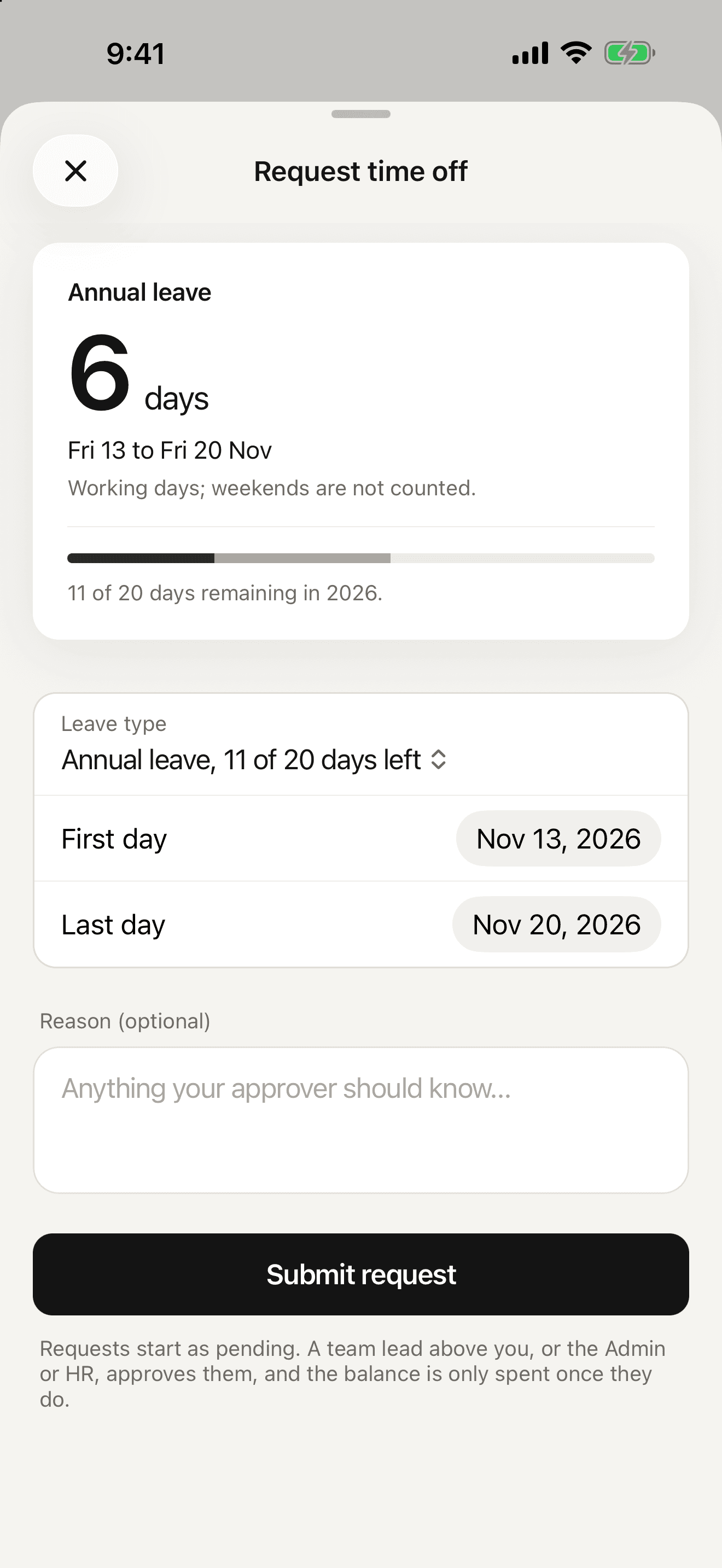
Request leave with your balance in view, and answer your team's requests without waiting to get to a desk.
- Your balance for the year beside the request
- For workspaces in Kosovo, working days and public holidays are counted for you
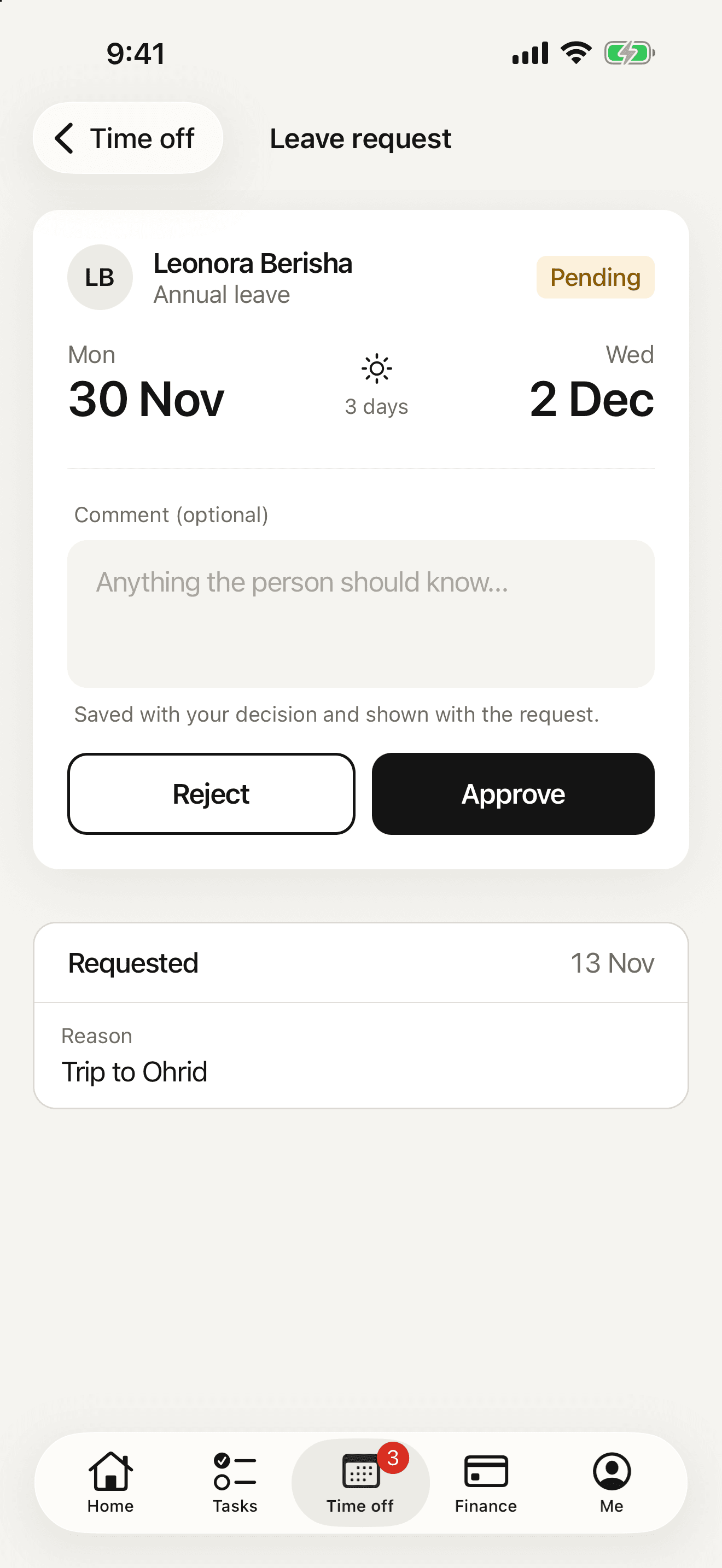
- Approve or reject your team's requests, and see who is out this week
- HR, HR assistants and the Admin can record leave for someone else, past dates included
Tasks
Your tasks, and your team's
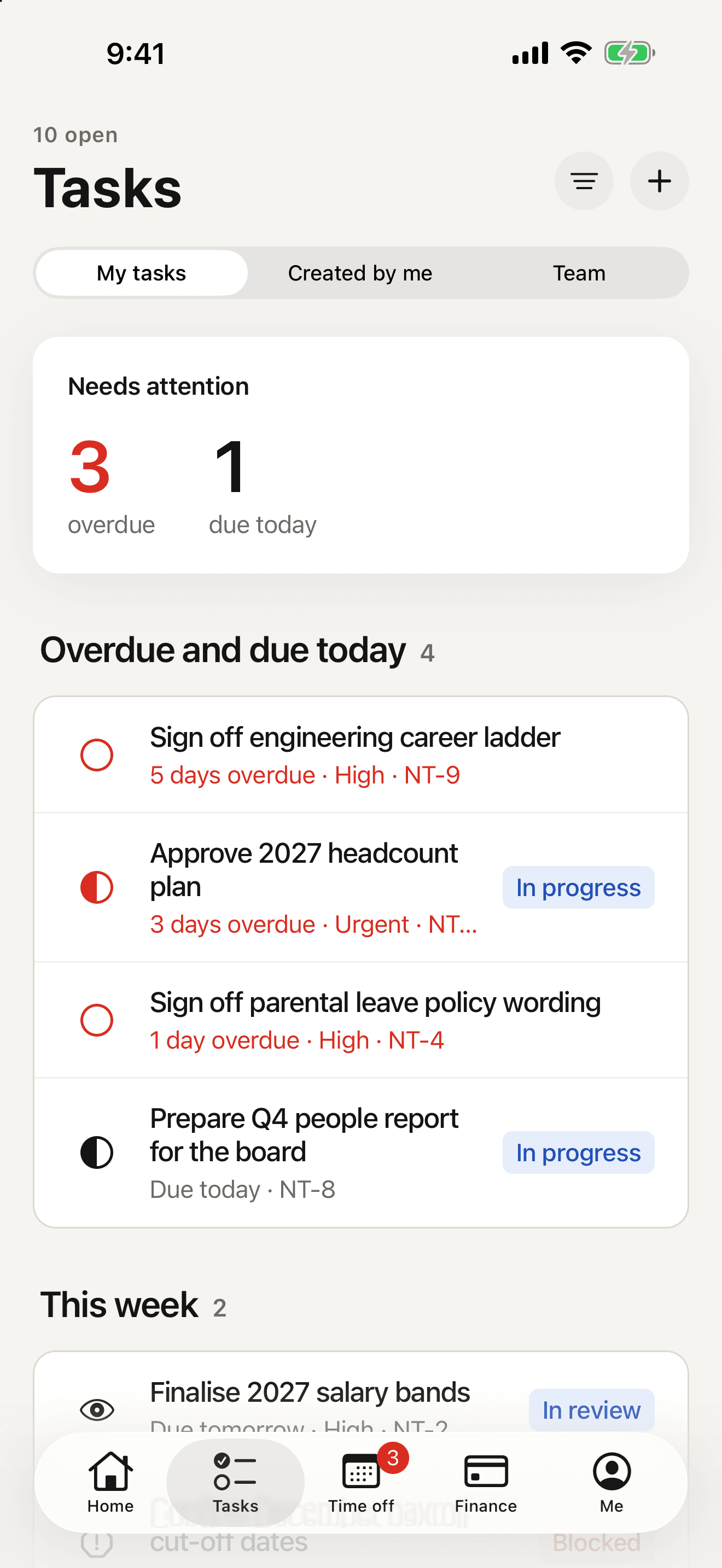
The same tasks as on the web, in three lists: the ones assigned to you, the ones you created and your team's.
- My tasks, Created by me and Team, with filters
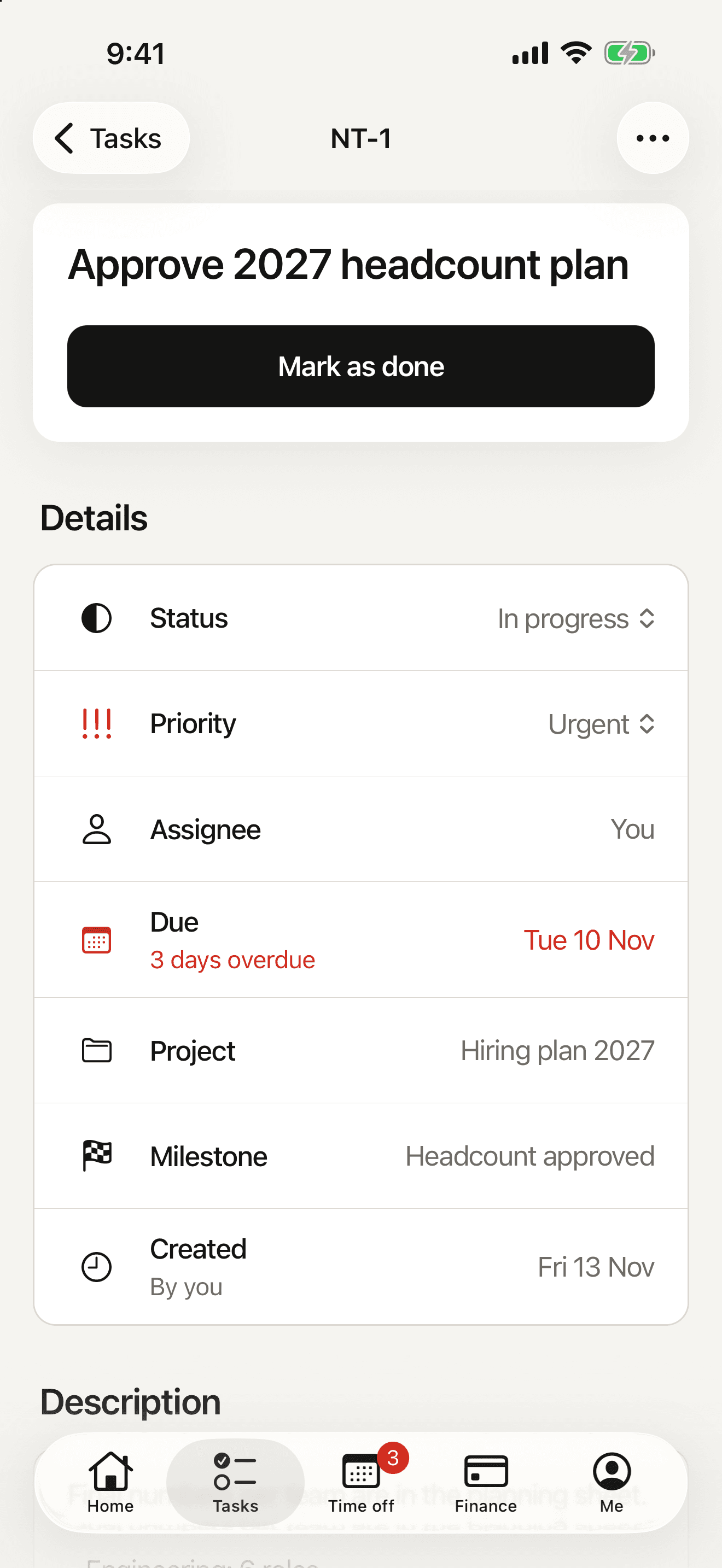
- Status and priority changed in place
- Create, edit and delete tasks, and open their files
- Comments, where your workspace uses projects
Finance
Invoices and expenses, away from your desk
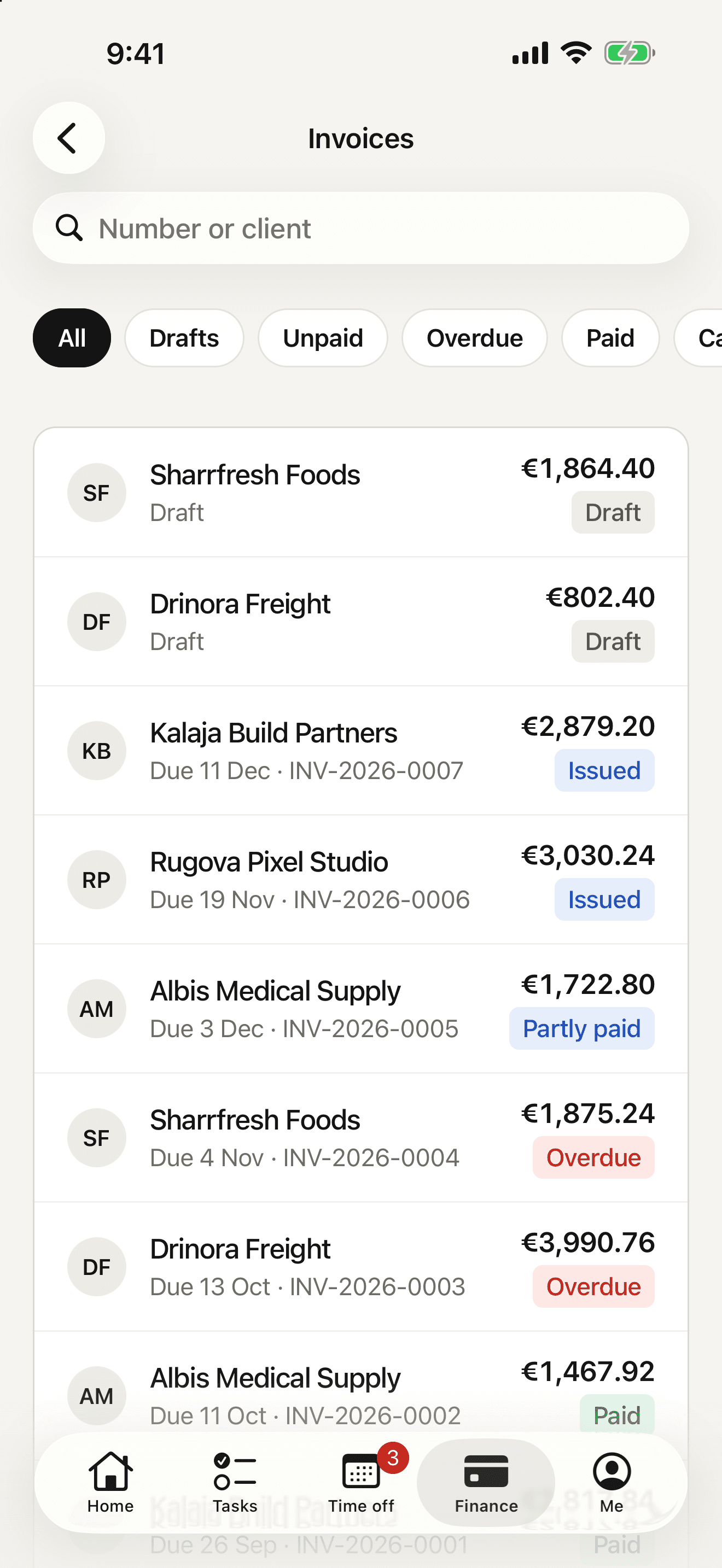
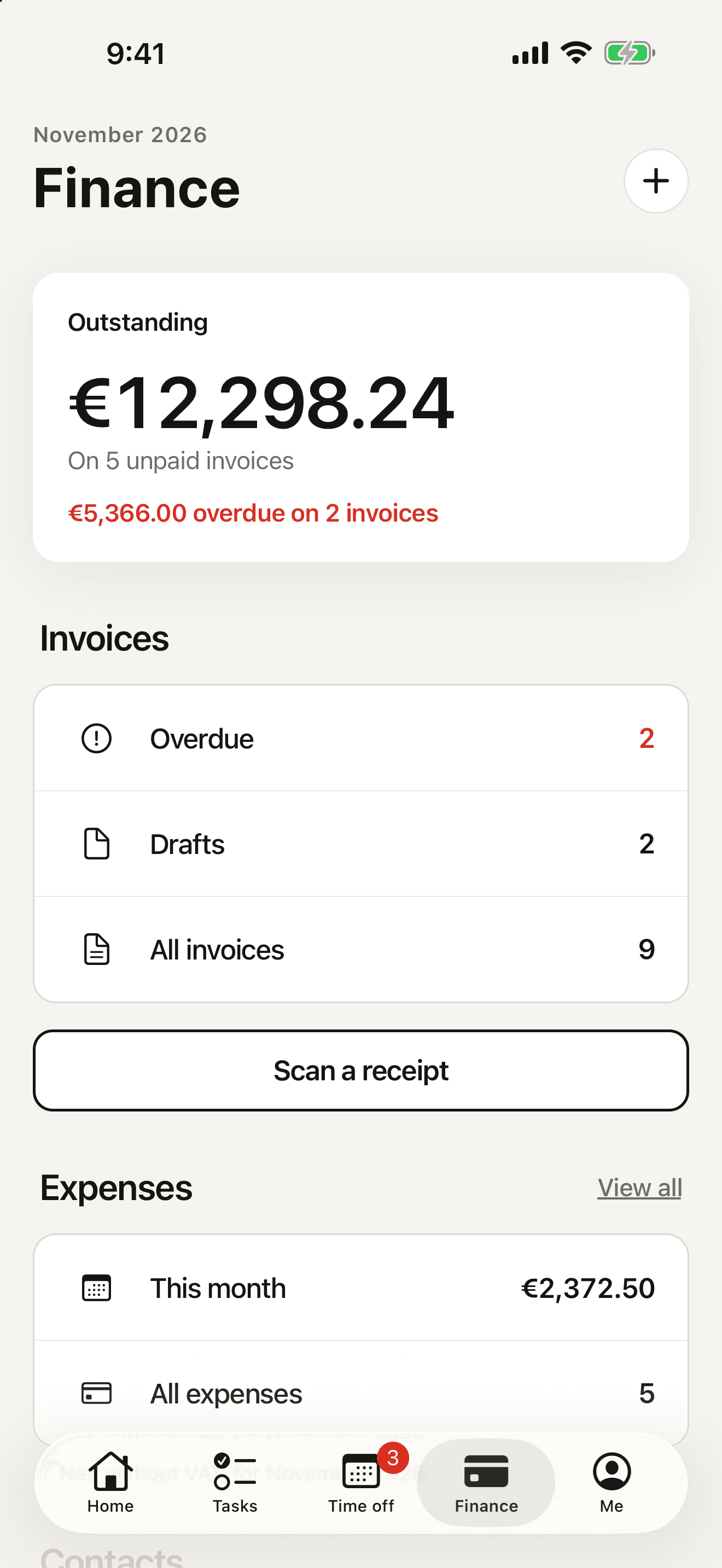
Where your workspace has Finance, the people who can see it on the web can work with it in the app.
- Invoices with their PDF
- Issue a draft invoice and record a payment
- Add an expense from a photo of the receipt, which astraHR reads for you
- Clients and suppliers, read only
Me
Your profile, and your team
Your profile, your work details and your team. Where your access level allows it, also the employee directory, a person's record, salaries, and payroll runs with their slips.
The same rules as on the web
The app reads and writes astraHR as the person signed in, so it can never show more than the web would show them.
Only what your level allows
Every screen shows what your access level allows and nothing more, under the same database rules as the web.
Kept in the keychain
Your session is stored in the iPhone's keychain, the place iOS keeps passwords and keys.
Checked with Apple
Before it asks for a sign-in code, the app checks with Apple App Attest that it is the genuine astraHR app.
No ads or tracking
There are no ads, no analytics and no tracking in the app.
What stays on the web
Sending invoices by email
Issue an invoice in the app, and send it to the client from the web.
Uploading task attachments
Open a task's files in the app, and add new ones on the web.
Sub-tasks and the board
Sub-tasks and the board view of a project are on the web.
Creating invoices and offers
Start an invoice or an offer on the web. The app issues drafts that already exist.
Editing, cancelling and correcting invoices
Lines, VAT, cancelling, correcting and deleting stay on the web.
14-day free trial
Set up astraHR for your team
The app signs in to an astraHR workspace. Start a 14-day trial on the web and invite your team, or book a walkthrough with the people who build the product.
Cancel before it ends and pay nothing.